Features
Everything you need to coach lifters online
MassMetrics Coaching is a web app for you and your team. Your athletes use the MassMetrics app on iPhone or Android. Here's what each side does.
Today
Start every day with who needs you
- Complete, skip or snooze check-ins from the row
- Mark payments paid or waived
- See what's coming up over the next seven days
Coaching
TodayRosterCheck-insPaymentsLibrary
ProgramsWorkout TemplatesExercisesToday
Good morning, Matt
3 athletes need you today.
- SM
Sarah Miller
Weekly check-in · Due today
- MJ
Mike Johnson
Payment · Overdue since Sep 28
Bi-weekly check-in · Due today
- CD
Chris Davis
Quiet · No workouts or weigh-ins for 8 days
Progress
Judge progress set by set
- Filter the log by template to follow one lift's story
- Warm-up, drop and failure sets are labeled
- Correct a logged workout without ever deleting it
Coaching
TodayRosterCheck-insPaymentsLibrary
ProgramsWorkout TemplatesExercisesRoster / Sarah Miller / Training
Lower A
Tue, Sep 30 · 58 min · 6/6 sets
Back Squat (Barbell)PR
- W135 lb × 8
- 1275 lb × 6265 × 6
- 2275 lb × 6265 × 6
- 3275 lb × 5265 × 6
Romanian Deadlift (Barbell)
- 1225 lb × 10225 × 10
- 2225 lb × 9225 × 10
Nutrition & health
See the habits behind the scale
- Weight trend against their goal
- Days logged and days within 10% of their calorie target
- Set a goal and daily targets they see in their app
Coaching
TodayRosterCheck-insPaymentsLibrary
ProgramsWorkout TemplatesExercisesRoster / Mike Johnson / Overview
Weight · 30 days
182.1 lb
−6.3 lb
2.1 lb to goal
Goal 180 lb
Steps
9,840
7-day avg · target 10,000
Calories
2,180
7-day avg · target 2,200
Protein
176 g
7-day avg · target 180 g
Check-ins
Never lose track of a check-in
- Repeat on chosen weekdays, every 1–4 weeks
- Skip, snooze or pause without breaking the schedule
- Payment reminders work the same way
Coaching
TodayRosterCheck-insPaymentsLibrary
ProgramsWorkout TemplatesExercisesCheck-ins
Check-ins
Reminders to check in with your athletes.
- SMDue today
Sarah Miller · Weekly check-in
Every Wednesday at 9:00 AM
- MJDue today
Mike Johnson · Bi-weekly check-in
Every 2 weeks on Wednesday
- EBOct 10
Emily Brown · Monthly review
Every 4 weeks on Friday
- JWPaused
Jake Wilson · Weekly check-in
Every Monday at 6:00 PM
Library
Build once, assign in a couple of clicks
- Sets, reps, RPE, rest timers and notes per exercise
- Assign a whole program in one step
- Editing the library never changes what athletes already have
Coaching
TodayRosterCheck-insPaymentsLibrary
ProgramsWorkout TemplatesExercisesLibrary / Workout Templates / Lower A
Lower A
Part of Upper / Lower · 4 days
- 13 min
Back Squat (Barbell)
4 × 5–6 · RPE 8
- 22 min
Romanian Deadlift (Barbell)
3 × 8–10 · RPE 7
- 390 s
Walking Lunge (Dumbbell)
3 × 12 · Each leg
- 490 s
Seated Leg Curl
3 × 10–12 · Last set to failure
Template notes · Add 5 lb to squats when you hit 6 reps on every set.
Roster
Your whole roster at a glance
- Search by name or email
- Resend or cancel pending invitations
- Every coach on your team sees every athlete
Coaching
TodayRosterCheck-insPaymentsLibrary
ProgramsWorkout TemplatesExercisesRoster
Roster
12 athletes · 3 open spots
| Athlete | Last workout | Last weigh-in | Next check-in |
|---|---|---|---|
| SMSarah Miller | Today | Today | Due today |
| MJMike Johnson | Yesterday | Today | Due today |
| EBEmily Brown | 2 days ago | Yesterday | Oct 10 |
| CDChris Davis | 8 days ago | 9 days ago | Oct 6 |
| KSKatie Smith | Today | 2 days ago | Oct 8 |
Athlete app
What your athletes get
Every roster spot includes the MassMetrics app for that athlete. It's a complete tracker on its own, so logging doesn't feel like homework.
Your programming
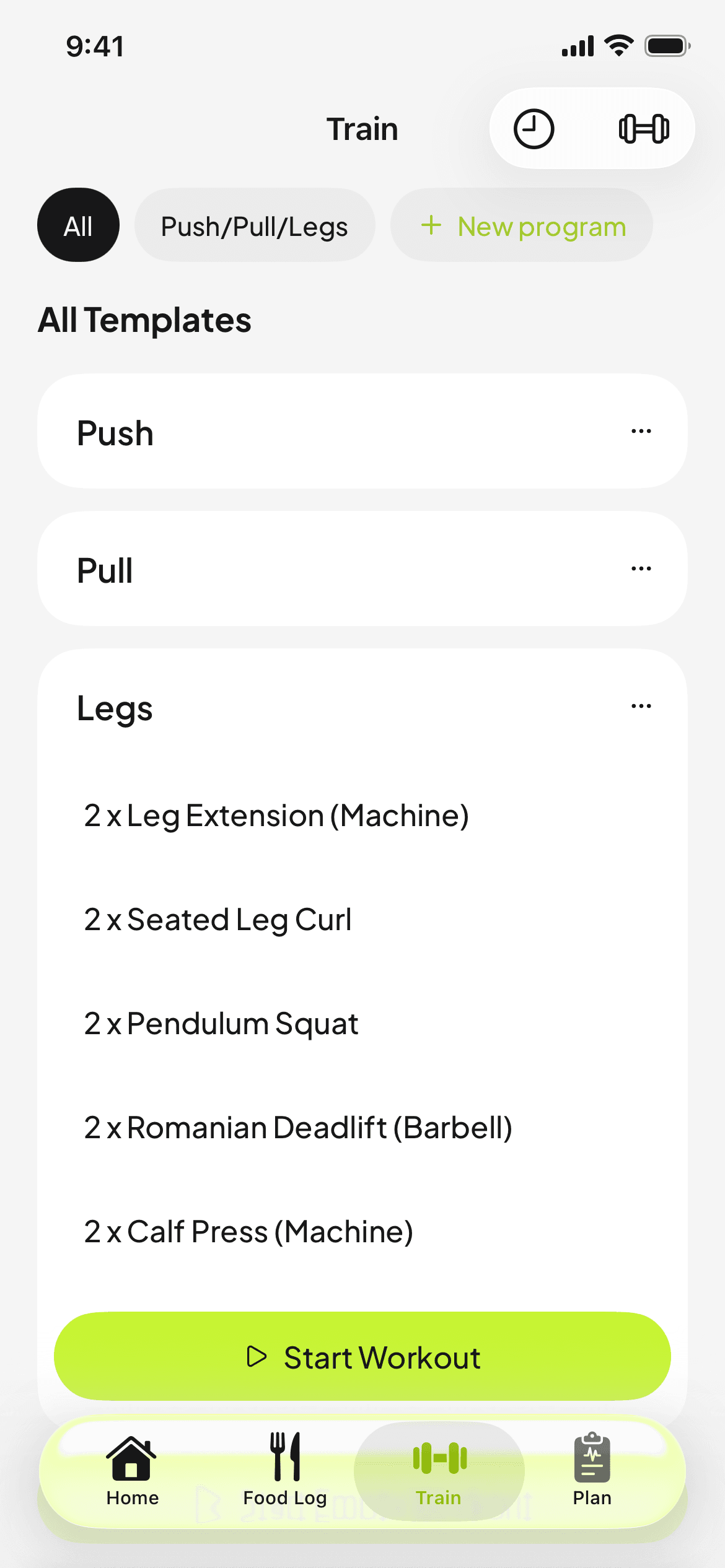
Assigned programs and templates appear in Train, with your notes and rest timers.
Previous performance
Last session's weight and reps sit beside every set while they log.
Food logging
Search, barcode scanning, photo estimates, recipes and saved meals.
Goals and targets
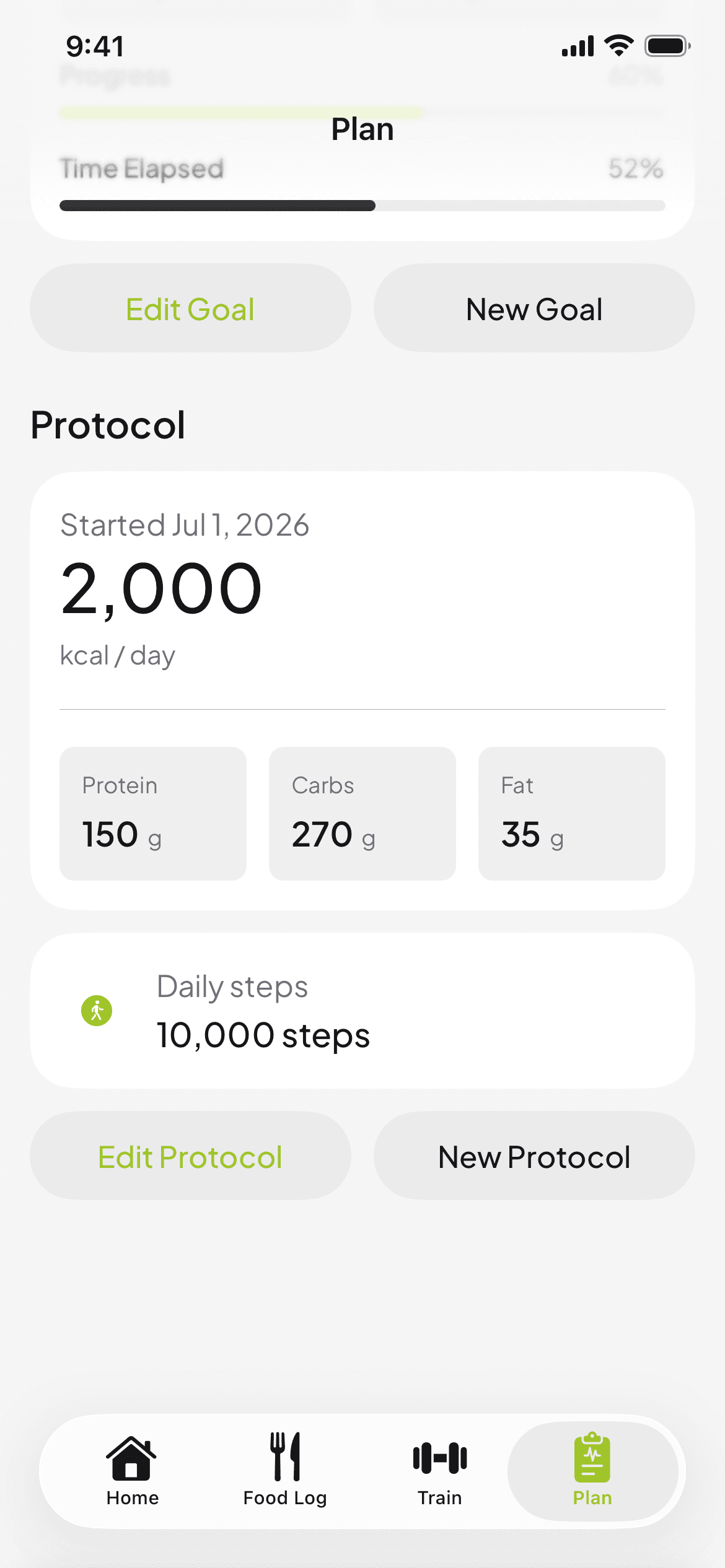
The goal and daily targets you set appear in Plan, with progress.
Health sync
Steps and weigh-ins sync from Apple Health or Health Connect once they connect it.
Trends
Weight, steps and lift history over weeks and months.
And the rest
Details that add up
Coaches and owners
Coaches see and support every athlete, build the library and invite athletes and coaches. Owners also manage billing, roles and the organization.
Private notes
Keep notes on each athlete and pin the important ones. Only coaches can see them.
Payment reminders
Weekly, every few weeks or monthly schedules per athlete. Mark paid, waive or pause; MassMetrics never handles the money.
Plans and targets
Set a goal weight and timeline plus daily calories, macros and steps. Assigning a new plan keeps the old one in history.
Health data, labeled
Every weight and step entry shows whether it was logged by hand or came from Apple Health or Health Connect, over 7 days to a year.
Corrections, not deletions
Fix a mislogged set or weight on an athlete's workout. Logged workouts can be corrected but never deleted.
See it with your own roster
Create your account and build your library today. Subscribe when you're ready to invite athletes.